Area & Volume — Common 3D Shapes
The Area and Volume Calculator provides fast and precise calculations for geometric shapes such as spheres, cylinders, cones, and prisms. It streamlines complicated formulas, saves users time, and assists students, engineers, and DIY enthusiasts in determining important geometric measurements in their everyday math tasks.
What Is Surface Area?
Surface Area measures the total surface covered by a 3D shape.
It is expressed in square units, such as:
- square meters (m²)
- square centimeters (cm²)
What Is Volume?
Volume measures the space a 3D object occupies.
It is expressed in cubic units, such as:
- cubic meters (m³)
- cubic centimeters (cm³)
Area & Volume Formulae
Sphere
Surface Area:
Volume:
Where:
- = radius of the sphere
Cylinder
Surface Area:
Volume:
Where:
- = radius
- = height
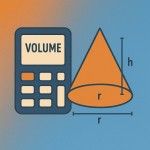
Right Circular Cone
Surface Area:
Where, is the slant height.
Volume:
where:
r = radius
h = height
Rectangular Prism (Box)
Surface Area:
Volume:
Where:
- = length
- = width
- = height
Triangular Prism
Surface Area:
Where:
- = base of triangle
- = height of triangle
- = other two sides
- = length of prism
Volume:
Square (Regular) Pyramid
Surface Area:
Where:
- = base length
- = slant height
Volume:
Triangular Pyramid (Tetrahedron)
Surface Area:
Add the areas of all triangular faces.
Volume:
How to find Area and Volume using our Calculator?
- Select the desired “Shape” and “Unit”.
- Enter the required values.
- Click “Calculate,” and the calculator automatically computes Area and Volume for the desired shape.